
The markdown vaultin your pocket.
A quiet iOS app for the markdown you keep in GitHub. Built for the vaults, dev notes, and journals you already have. Every page caches on your iPhone, searches across the whole vault, and can be queried by on-device AI. No server in between.
- Platform
- iPhone
- Minimum
- iOS 26
- Data
- On device
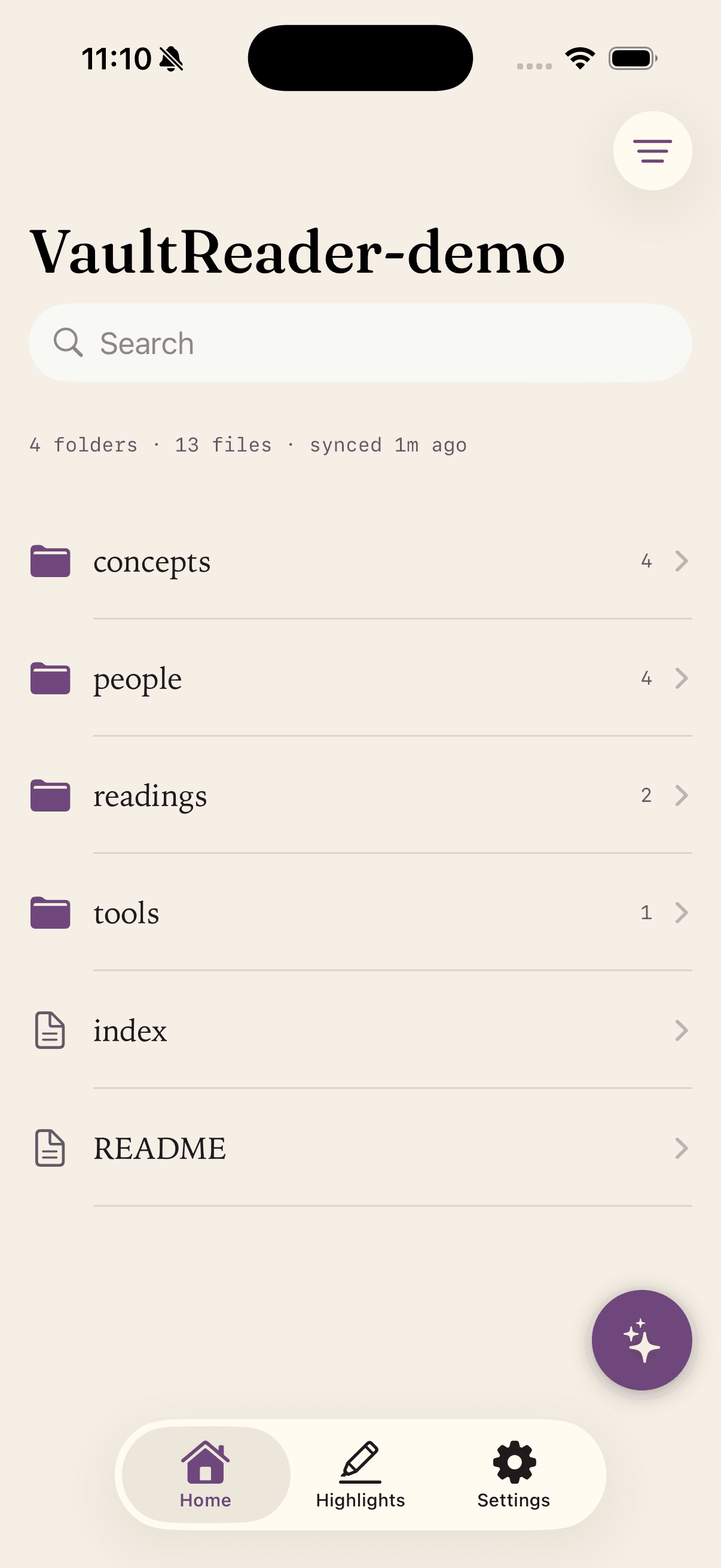
A reader, notanother tool to manage.
The markdown is the product. Everything else stays out of the way. A few decisions, then the page.
- ipg. 01
GitHub native
Sign in with GitHub. Connect any public or private repo you have access to.
- iipg. 02
Sync once, read offline
Every page caches locally and opens instantly without signal.
- iiipg. 03
Smart incremental sync
SHA-based diffing. Only files whose contents changed are re-downloaded.
- ivpg. 04
Obsidian-friendly
Wikilinks, YAML frontmatter, and TLDR callouts rendered natively.
- vpg. 05
Tune your reading
Theme, font, size, spacing, and width all live-update as you change them.
- vipg. 06
Full-text search
Every cached file in your vault, instantly searchable.
Built for the wayObsidian users already work.
A calm reading surface for the vault you have already built.
Already keeping your vault in GitHub via the Obsidian Git plugin? Vault Reader picks up that same repository and renders [[wikilinks]], YAML frontmatter, and > TLDR: callouts the way you would expect.
- 01Wikilinks resolve locallyTap to navigate. Unresolved links stay visible but disabled, never silently broken.
- 02YAML frontmatter is hiddenTags surface as small chips above the title.
- 03TLDR callouts as cardsPlus full markdown: code, tables, task lists, blockquotes, images.
- 04Pull-to-refresh syncSHA-based diffing only re-downloads files that actually changed.
- 05Offline by defaultEvery page caches on your iPhone, so reading works without a signal.
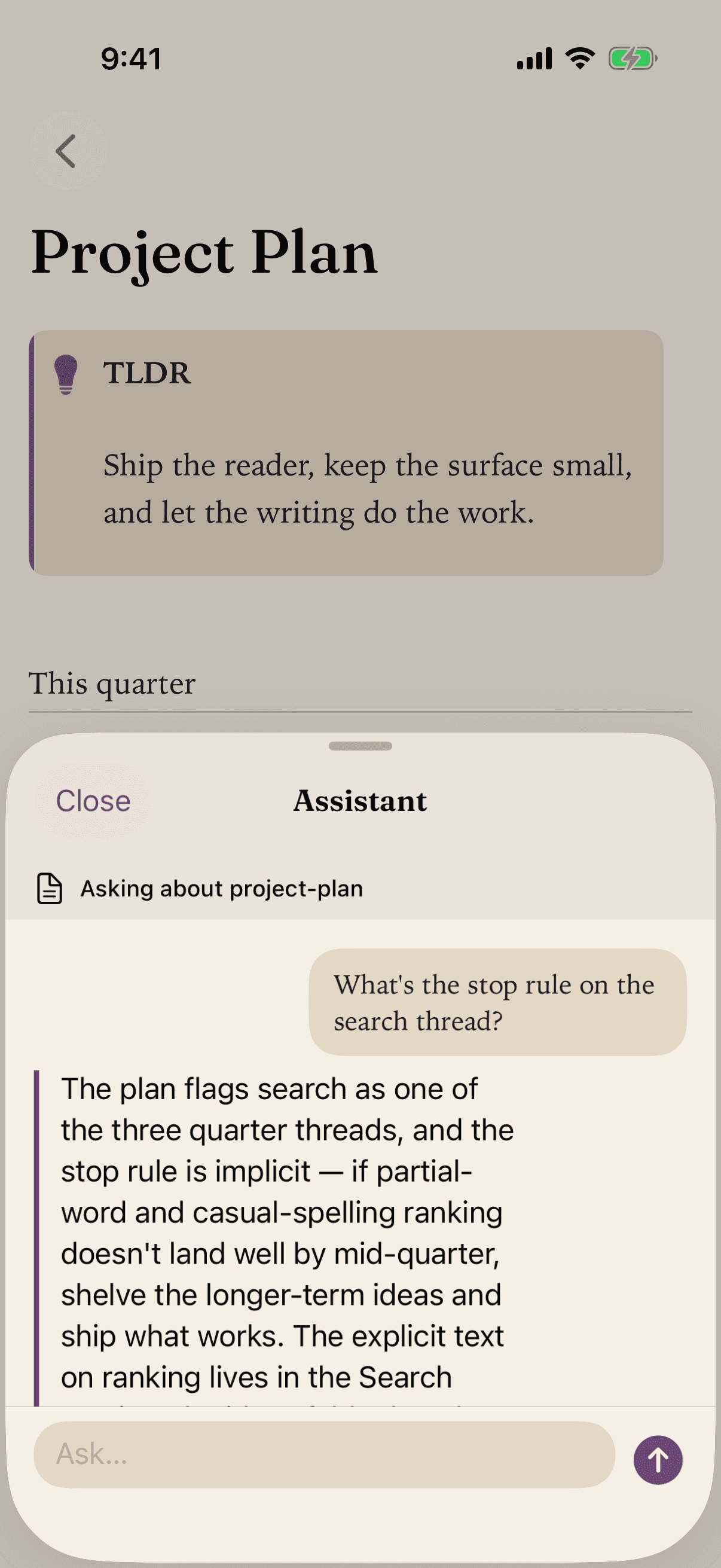
A thinking partnerthat never phones home.
Apple Foundation Models run entirely on your iPhone. No API keys. No subscriptions on top. Nothing leaves your device.
- Summarize a page, or ask it to explain a passage in simpler terms.
- Vault-wide chat surfaces answers linked back to their source pages.
- Private by construction. No prompts or answers ever reach a server.
A very shortprivacy policy.
We collect nothing, because the app was built that way. The whole policy fits on one screen.
Read the full privacy policy- i
Your token stays on device.
GitHub OAuth tokens live in the iOS Keychain. Not in our servers, because we do not have any.
- ii
AI runs on-device.
Apple Foundation Models. Nothing leaves your iPhone, ever.
- iii
No analytics. No tracking.
No third-party SDKs. The app is read-only and cannot write back to your repo.
Common questions,plainly answered.
Bring your vaultwith you.
A calmer way to read the GitHub notes you already have. iPhone, iOS 26+. Free to read.
 Free on the App Store