
Read your markdown,pocket-sized.
Vault Reader connects to a GitHub repository of markdown files and gives you a calm, native iOS surface to read them on. Offline by default. Full-text search. On-device AI for summaries and vault-wide questions.
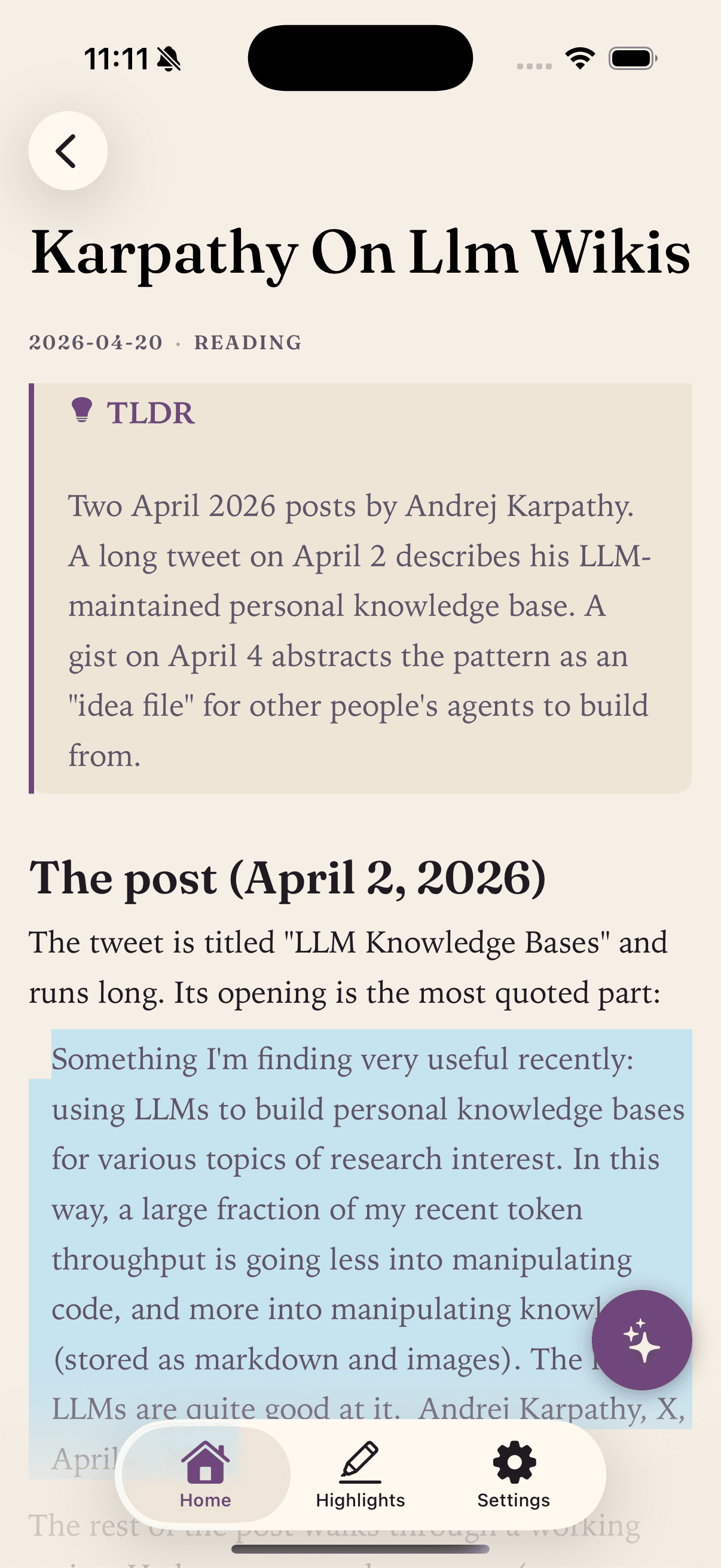
You bring the repository. We give you a fast, focused reading surface for it on your iPhone.
The iOS App Store is full of notes apps. Vault Reader is not one of them. It does not store your notes, host them, or compete with whatever you already use to write.
Code blocks render correctly, wikilinks resolve to other files, frontmatter stays out of the way, and search is across the whole vault rather than one note at a time.
Reading is free. The Pro tier unlocks on-device AI for summaries and vault-wide questions, plus additional repos and themes. Nothing about your notes ever leaves your iPhone.
Made forthese workflows.
- 01
Developer notes and runbooks
Keep your incident playbooks, scratch notes, and architecture sketches as markdown in a private repo. Read them on your phone with code blocks formatted the way you wrote them.
- 02
Personal knowledge base
Zettelkasten, second brain, or whatever you call it. If your notes link to each other with [[wikilinks]], Vault Reader treats them like a connected vault.
- 03
A reading-only mobile companion
Some people want their iPhone notes app to be calm. Read what you wrote on your laptop without the temptation to fiddle with structure on a 6-inch screen.
- 04
Technical documentation
Read the README, the contributing guide, the architecture notes. Tap wikilinks to follow internal references.
Using Obsidian? Read the Obsidian-specific page.
What works today
- Standard markdownHeadings, lists, tables, blockquotes, task lists, fenced code blocks, images.
- Code blocks with syntax highlightingLong lines scroll horizontally rather than wrapping.
- [[Wikilinks]]Resolved against your cached files. Tap to navigate. Unresolved links stay visible but disabled.
- YAML frontmatterHidden from the rendered page. Tags surface as small chips.
- > TLDR: calloutsHighlighted as a card so the gist of a note stands out.
- Full-text searchAcross every cached file in your vault.
- SHA-based incremental syncOnly files whose contents changed are re-downloaded.
- Offline by defaultAfter the first sync, everything works without a signal.
- On-device AI (iOS 26+)Page summaries and vault-wide Q&A via Apple Foundation Models.
- Customizable typographySystem, serif, or monospace font; four sizes; three line spacings.
What is not in v1
- Editing or creating notesVault Reader is a reader. The roadmap includes editing for a later release.
- Mermaid diagramsCurrently treated as a plain code block.
- LaTeX / math blocksNot rendered.
- Embeds with ![[file]]Image and note embeds are not parsed yet.
- Obsidian [!note] callout blocksOnly > TLDR: callouts are recognized.
- iPad and MaciPhone only in v1; iPad and Mac are on the roadmap.
Want one of these soon? Send a feature request.
Common questions,plainly answered.
- What kind of markdown files does Vault Reader handle?
- CommonMark and GitHub-flavored markdown: headings, lists, tables, blockquotes, fenced code blocks with syntax highlighting, task lists, and images. Wikilinks like [[note name]] resolve against your other files. YAML frontmatter is hidden from the rendered page and surfaced as small tag chips above the title.
- Where do my files live?
- In a GitHub repository that you control. Vault Reader reads from there directly. There is no Vault Reader server in between, and the app cannot write back: it is read-only.
- Does it work offline?
- Yes. After the first sync, every page caches on your iPhone via SwiftData. Reading, search, and on-device AI all work without a signal. You only need connectivity to pull changes.
- How does sync stay efficient with thousands of files?
- Vault Reader fetches the full repository tree once, then compares each file's blob SHA against the local copy. Only files whose contents changed get re-downloaded. A vault of thousands of notes refreshes in seconds.
- Can I use it for technical docs or a code-heavy repo?
- Yes. Code blocks render with syntax highlighting and scroll horizontally instead of wrapping, which is what most developers want on a phone screen. README files, runbooks, and API notes all read cleanly.
- Does the AI send my notes to a server?
- No. The AI uses Apple Foundation Models, which run entirely on the iPhone (iOS 26 and later required). Your prompts and the responses never leave the device. There is no cloud inference, no API keys, and no analytics.
- I use Obsidian. Will this work for my vault?
- Yes. If you sync your Obsidian vault to GitHub (the Obsidian Git plugin is the most common path), Vault Reader connects to that same repository. There is a more detailed page for Obsidian users.
Bring your vaultwith you.
A calmer way to read the GitHub notes you already have. iPhone, iOS 26+. Free to read.
 Free on the App Store