
Your Claude Code wiki,open in your pocket.
Claude Code compiles a markdown wiki from your sources and pushes it to GitHub. Vault Reader is the native iOS reader for that wiki. Offline after the first sync, with on-device AI for page summaries and vault-wide questions. Works for any markdown repository, with extra care for Obsidian vaults.
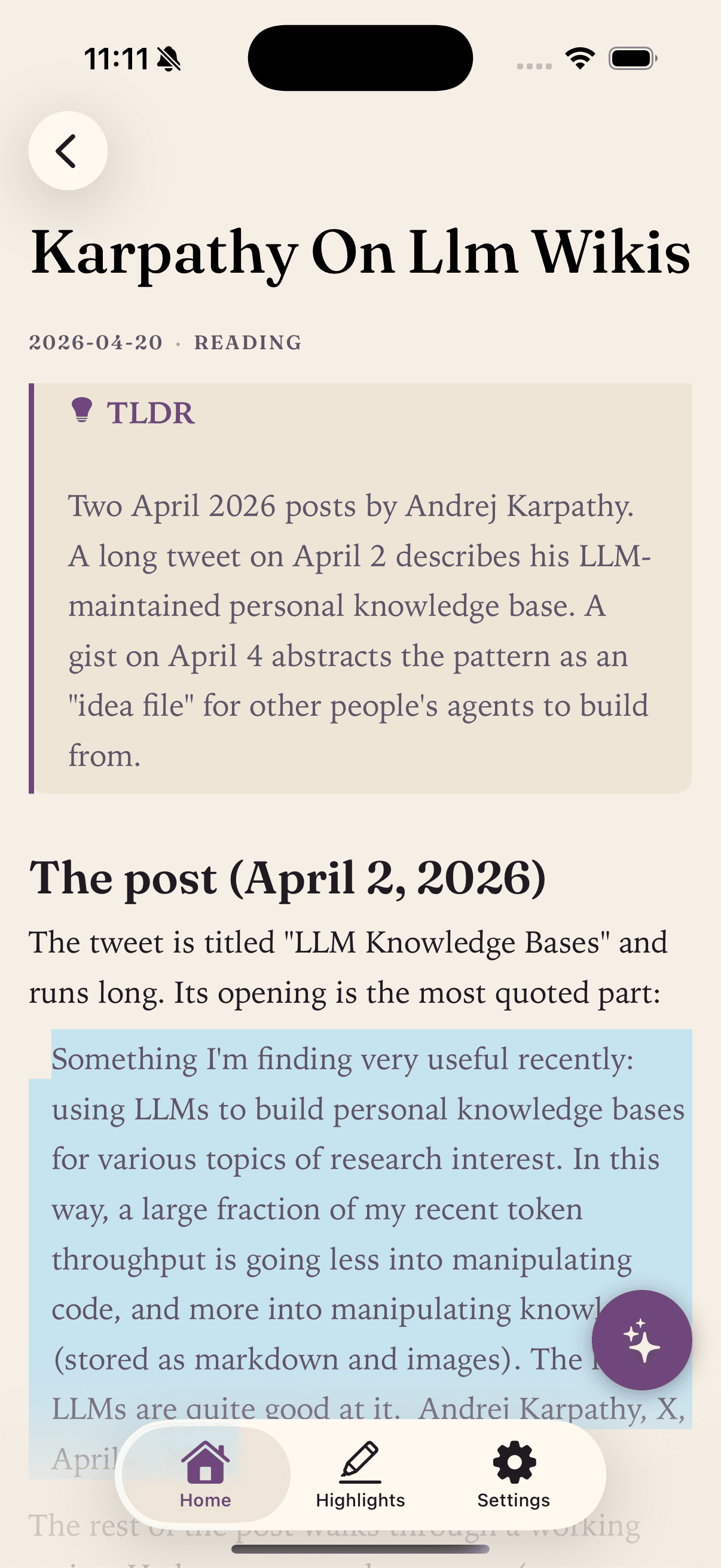
“a large fraction of my recent token throughput is going less into manipulating code, and more into manipulating knowledge (stored as markdown and images).”
The pattern is simple. You collect raw sources. An LLM compiles them into a structured wiki of markdown files: summaries, cross-references, categorized articles, backlinks. You ask questions against the wiki. The answers feed back into the wiki. Karpathy calls it an LLM wiki.
He described it publicly on April 2, 2026, then published a follow-up gist on April 4, 2026 that generalizes the approach into an “idea file.” Claude Code is a natural fit on the writing side: it edits many files at once, maintains consistency, and keeps cross-references coherent as the wiki grows.
Karpathy uses Obsidian as the desktop “IDE” for browsing. The piece the pattern was missing is what you do when you are away from your desk. That is what Vault Reader is for.
Three pieces.One workflow.
- Step 01
Claude Code compiles the wiki
You drop sources into raw/. Claude Code reads them, writes and updates markdown files, maintains cross-references, and logs what changed.
- Step 02
GitHub stores the wiki
Commit and push. Public or private repo; Vault Reader handles either.
- Step 03
Vault Reader reads it on iPhone
First sync downloads everything. After that, only files whose SHAs changed come down. Read, search, and ask questions offline.
Claude Code owns the wiki. Vault Reader is read-only; it cannot modify your repository.
The best knowledge base is the one you can open in line at the coffee shop.
An LLM wiki earns its keep when you can query it anywhere: on the train, between meetings, at the dinner table. Desktop access alone leaves most of your day on the floor.
Most of us do not want to edit on a 6-inch screen anyway. A dedicated reader is calmer than a full editor with a plugin surface, and it is faster to open when you only have a minute.
On-device AI via Apple Foundation Models means the wiki never leaves the device. No cloud inference, no API keys, no analytics. One-tap page summaries and vault-wide questions all run on the iPhone itself.
If you keep a clean personal vault and a messier agent-maintained wiki separate (kepano made the case for this in reply to Karpathy), Vault Reader supports multiple repositories on the Pro tier so you can point it at both without mixing them.
What works today
- [[Wikilinks]] between LLM-generated pagesClaude Code tends to link pages heavily. Vault Reader resolves wikilinks locally against your cached files.
- YAML frontmatter and tagsFrontmatter stays hidden from the rendered page. Tags surface as small chips above the title.
- > TLDR: calloutsThe summary line that LLMs tend to write at the top of a page is highlighted as a card.
- SHA-based incremental syncClaude Code edits land on the next sync without re-downloading the whole wiki. Only files whose contents changed are re-fetched.
- Full-text searchAcross every cached page.
- Offline by defaultRead and query without a signal after the first sync.
- On-device AI page summariesOne-tap summary of the open page using Apple Foundation Models.
- Vault-wide Q&AAsk a question across the wiki; top relevant pages are used as context. Nothing leaves the iPhone.
What is not in v1
- Editing the wikiRead-only in v1. Your agent (Claude Code or otherwise) remains the writer.
- Mermaid diagramsTreated as a plain code block for now.
- LaTeX / math blocksNot rendered.
- ![[file]] embedsImage and note embeds are not parsed yet.
- iPad and MaciPhone only in v1.
Want one of these soon? Send a feature request.
Why I built this.
I run this setup myself. Claude Code maintains a personal wiki from articles and papers I feed it; the wiki lives in a GitHub repository I control. I built Vault Reader because I wanted to read that wiki and ask it questions from my iPhone, without a subscription sync service and without sending my notes to a cloud AI.
Offline reading, wikilinks between pages, and on-device AI all fell out of that one requirement.
Zac Minner, Minner Labs
Questions aboutthe LLM wiki setup.
- Do I need to use Claude Code specifically?
- No. Any LLM or agent that can write markdown to a GitHub repository works. Claude Code is what this page describes because it's what the author uses. Vault Reader reads the repository regardless of who wrote into it.
- Do I need Obsidian?
- No. Obsidian is one way to browse the wiki on a desktop, and Karpathy uses it for that. Vault Reader reads the GitHub repository directly and does not require Obsidian to be installed anywhere.
- Does Vault Reader write to the wiki?
- No. Vault Reader is read-only. Only your agent (Claude Code or otherwise) writes to the wiki. That keeps the reading surface safe to point at production repositories.
- Does the AI send my wiki to a server?
- No. The AI uses Apple Foundation Models, which run entirely on the iPhone. Prompts and responses never leave the device. Page summaries and vault-wide questions are both on-device.
- Can I keep an "agent vault" separate from my personal vault?
- Yes. Vault Reader supports multiple repositories on the Pro tier, so you can point one slot at an agent-maintained wiki and another at a vault you curate by hand, without mixing them.
- How big a wiki can this handle?
- Larger than most personal wikis get. Sync fetches the full repository tree once, then compares each file’s blob SHA against the local copy and only re-downloads files whose contents changed. A wiki of several hundred articles refreshes in seconds after the first sync.
- Does this work with the Obsidian Git plugin?
- Yes. If your wiki lives in a GitHub repository, the plugin is just one way to get it there. See the Obsidian-specific page for more detail.
- Is there a subscription?
- Reading is free. The Pro tier (one-time or monthly) unlocks on-device AI for summaries and vault-wide questions, plus extra repositories and additional themes. The reader itself stays free forever.
Bring your vaultwith you.
A calmer way to read the GitHub notes you already have. iPhone, iOS 26+. Free to read.
 Free on the App Store