
Your Obsidian vault,open on iPhone.
A focused mobile reader for the vault you already keep in GitHub. No editor in the way, no recurring sync subscription, and on-device AI that understands every page.
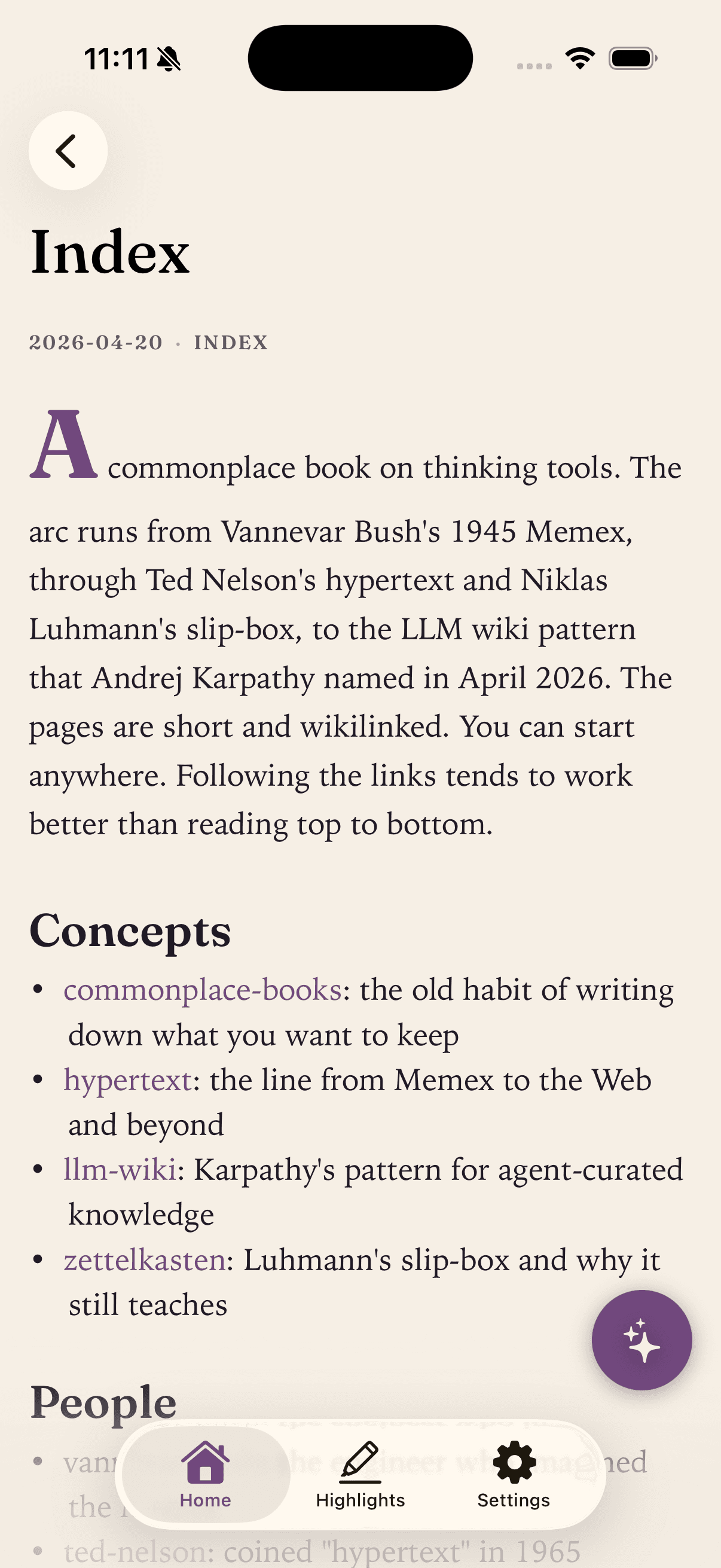
The vault you edit on your laptop, open on your phone the moment Obsidian Git pushes it.
If you use the Obsidian Git plugin, your vault already lives in a GitHub repository. Vault Reader connects directly to that repository.
The official Obsidian app on iPhone is excellent, and it is also a full editor with the entire plugin surface. Sometimes you just want to skim a note on the train, look up a passage between meetings, or ask a question across everything you have written. That is what Vault Reader is for.
Reading does not require a subscription. There is no Vault Reader sync service: your iPhone talks to GitHub and nothing else. The Pro tier unlocks on-device AI and extra repos; the reader itself is free.
What works today
- Wikilinks: [[note name]]Resolved against your cached files. Tap to navigate. Unresolved links stay visible but disabled.
- YAML frontmatterHidden from the rendered page. Tags surface as small chips above the title.
- > TLDR: calloutsHighlighted as a card so the gist of a note stands out.
- Code blocks with syntax highlightingLong lines scroll horizontally instead of wrapping.
- Tables, task lists, blockquotes, imagesStandard CommonMark and GitHub-flavored markdown.
- Full-text searchAcross every cached page in your vault.
- Pull-to-refresh syncSHA-based diffing only re-downloads files that actually changed.
- Offline by defaultEvery page caches on your iPhone after the first sync.
- On-device AIApple Foundation Models summarize a page or answer questions across your whole vault. Nothing leaves the device.
What is not in v1
- Obsidian callout blocks like > [!note]Only > TLDR: is recognized today.
- Embeds with ![[file]]Image and note embeds are not parsed yet.
- Mermaid diagramsTreated as a plain code block for now.
- LaTeX / math blocksNot rendered.
- Editing or creating notesThe reader is intentionally read-only in v1.
- Plugins, Dataview, Canvas, TemplatesOut of scope.
Want one of these soon? Send a feature request. Real demand from Obsidian users moves the roadmap.
Set it upin five minutes.
- Step 01Make sure your vault is in a GitHub repository. The Obsidian Git plugin is the most common path. Public or private both work.
- Step 02Install Vault Reader from the App Store on your iPhone (iOS 26 or later).
- Step 03Sign in with GitHub. Vault Reader requests repo scope so it can read both public and private repositories you have access to.
- Step 04Pick the repo and the directory inside it where your vault lives. Some people use the repo root, some use a notes/ subfolder.
- Step 05First sync downloads everything. After that, only changed files come down. Read.
Questions fromObsidian users.
- Does Vault Reader work with the Obsidian Git plugin?
- Yes. The Obsidian Git plugin is the easiest way to keep a vault in GitHub. Vault Reader connects to that same repository, so anything Obsidian Git pushes shows up the next time you sync the app.
- Do I need Obsidian installed to use Vault Reader?
- No. Vault Reader reads any GitHub repository of markdown files. If you wrote your notes in Obsidian, the Obsidian conventions (wikilinks, frontmatter, TLDR callouts) will render the way you expect. If you wrote them anywhere else, they will render as plain markdown. There is also a more general overview of Vault Reader as a markdown reader for iPhone.
- Does it sync changes back to my vault?
- No. Vault Reader is read-only. It cannot create, edit, or delete notes in your repository. That means it is safe to point at production vaults without worrying about accidental writes.
- How is this different from the Obsidian mobile app?
- The Obsidian app is a full editor with plugin support and many advanced features. Vault Reader is a focused reader: faster to open, calmer to use on the go, and built around reading and asking questions about your notes rather than writing them.
- Is there a subscription?
- Reading is free. There is no recurring fee just to open your vault. The Pro tier (one-time or monthly) unlocks on-device AI for summaries and vault-wide questions, plus extra repos and additional themes. The reader itself stays free forever.
Bring your vaultwith you.
A calmer way to read the GitHub notes you already have. iPhone, iOS 26+. Free to read.
 Free on the App Store